Your documents never leave your computer macOS · Windows

Fill out scanned forms
right on your computer

A scanned form is only a picture of paper: nothing to click, nothing to type into. Ali PDF Editor finds its boxes, lines and check boxes, so you click and type as if it were a fillable PDF. Then sign it, save it and send it. No printer, no pen, no upload.

7-day trial, every feature included. One payment, free updates for life.

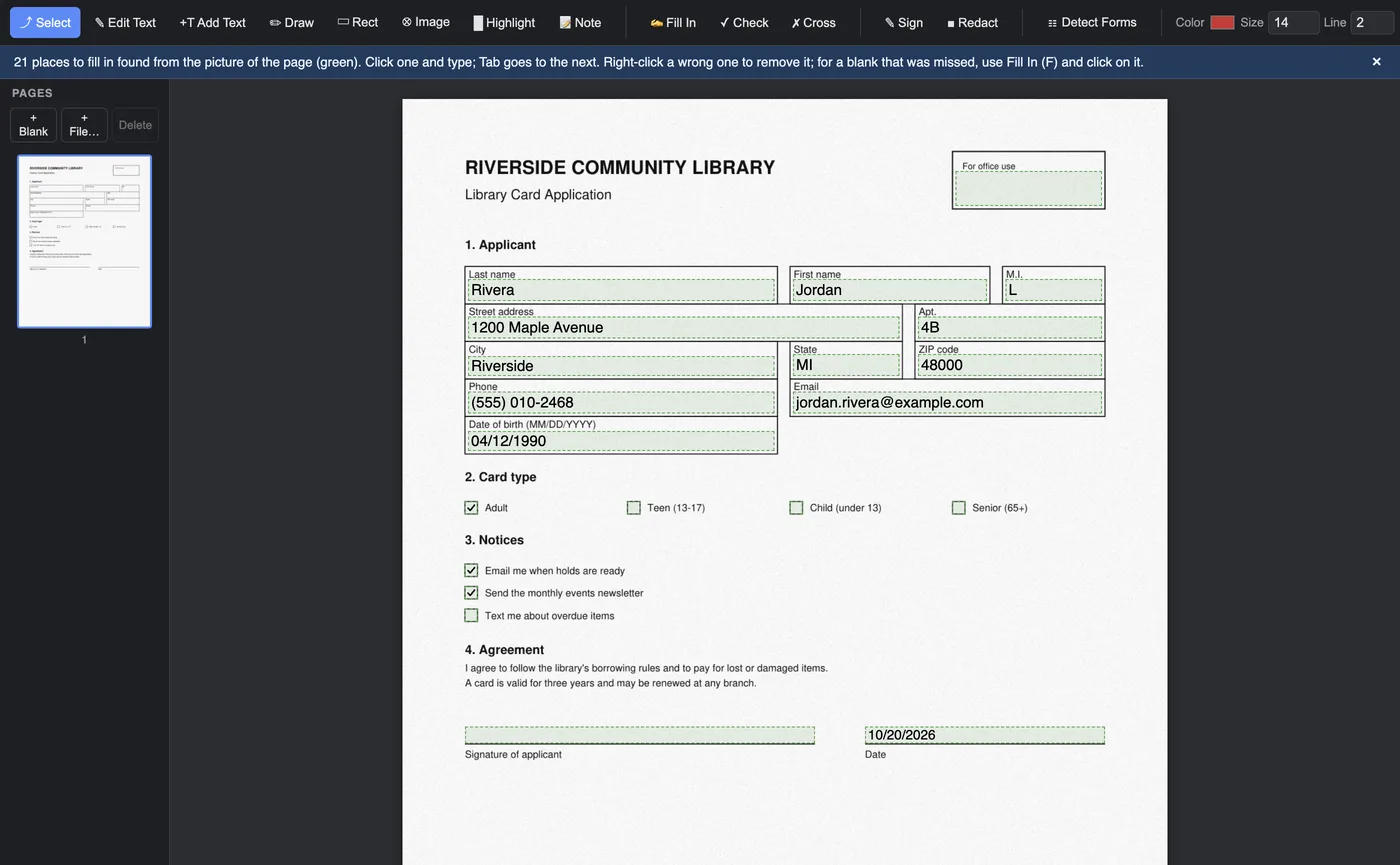
A scanned library card application with its boxes found and filled in, and three boxes ticked

Scanned forms

From a picture of paper to a finished form

One click finds the blanks

Open the scan and click Detect Forms. The boxes, writing lines and check boxes of the form turn green. Click one and type; Tab goes to the next. Click a square to tick it.

  • Works on scans, faxes and forms saved as a picture
  • Writing sized to fit each box
  • Saved as real form fields: open the file again later, here or in any PDF reader, and change what you typed
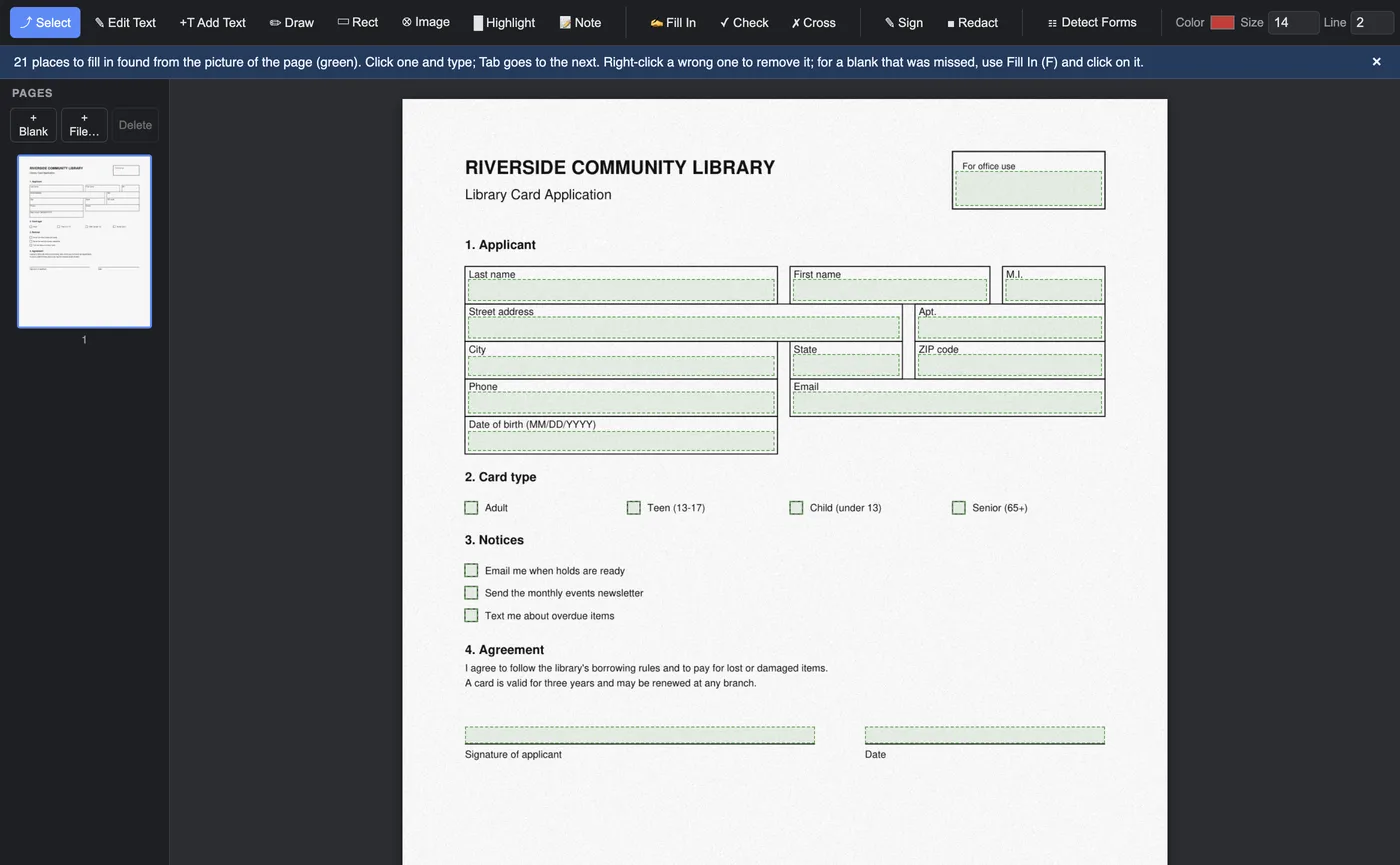
The same scanned form just after Detect Forms, every box and check box marked in green
✍️

Something missed? Click and type

Faint, crooked or dotted-line forms may hide a blank or two. Choose Fill In, click where the writing goes and type. Tick and cross any box by hand. Remove a wrong field with a right-click.

🖊️

Sign it

Draw your signature, type it in a handwriting style, or use a photo of it (the paper is made clear). Your signatures are kept for next time.

🖨️

Print or send it

Save and attach it to an email, or print it with everything in place. A protected original, like many government forms, is never overwritten: you get a copy.

Everything else a PDF needs

A complete PDF editor, not just a form filler

✏️

Edit the text

Click a word in the document and change it. Add new text anywhere, in any colour and size.

📋

Fillable forms too

Ordinary PDF forms work as on paper: text boxes, lists, check boxes and radio buttons.

🖍️

Mark it up

Highlight, draw, add boxes, sticky notes, pictures, stamps and logos.

⬛

Redact for real

Blacked-out words are taken out of the file, not just covered, so nobody can copy them out later.

📑

Rearrange pages

Drag pages into order, delete them, add blank pages, or insert pages from another PDF.

🔐

Protected PDFs

Opens password-protected documents and saves your changes to a copy.

✅

Safe saving

Every save is checked first. If the result would not open properly, nothing is written and you are told why.

🔒

Private by design

No account, no cloud, no tracking. The app does not connect to the internet at all to edit your files.

Pricing

One price. Yours for life

$8.99 once
  • Lifetime licence for one person
  • Every update included
  • macOS (Apple Silicon and Intel) and Windows
  • 7-day free trial first, no card needed
See pricing

Try it on the form on your desk

The trial is the full app for seven days. Fill out one scanned form without printing it, and it has paid for itself.